
 ChatGPT
 Claude
 Gemini
 Grok
GrokGoogle has started making links inside AI Overviews and AI Mode easier to notice. For businesses, that could create more chances for a searcher to visit a source page. It does not guarantee more clicks, leads, or sales. The useful question is whether your business appears as a source for the searches that matter, and whether the linked page gives a buyer a reason to continue.
On October 15, Google said it was moving inline links higher in AI answers more often, making some links more prominent, and testing dedicated sections for official websites. These are presentation changes, not a new ranking guarantee. Google says the changes are rolling out during October. You can read the details in its announcement, AI Mode and AI Overviews updates to explore the web.
A more visible link is still only an opportunity
An inline link can appear beside a statement it supports, while a separate source card or official-site section can make a destination easier to recognize. A person who wants more detail may click. But many people will get what they need from the answer and leave without visiting any website. A more noticeable link may improve the chance of a click; it cannot force one.
Google also says AI Overviews and AI Mode can use different models and techniques, so the answers and links can vary. It may run several related searches to build an answer, which can surface a broader set of pages than a standard results list. That means being visible for one simple phrase is not the whole story. A buyer might ask for a provider, then ask about pricing, locations, evidence, or alternatives.
Google’s guidance keeps the basics in view: pages need to be indexed and eligible for a search snippet to qualify as supporting links. It recommends established SEO practices such as crawlable pages, useful internal links, important information in text, accurate structured data, and current Business Profile details. Google says there is no special AI markup required. See its current AI features and your website guidance for the full eligibility and measurement notes
What should a business measure now?
Do not judge the update by impressions alone. An impression can show that a page appeared in an AI feature, but it does not tell you whether the link was prominent, clicked, or useful to a customer. Google’s new Search Console generative AI report shows impressions, pages, countries, devices, and performance over time. It does not claim to report click-through rate for individual inline links. Combine that view with referral sessions, engaged visits, enquiries, and sales in your analytics system.
For the business itself, check both the source page and the answer. Is the page the right landing place? Does it state clearly what you offer, who it is for, where you operate, and what proof supports the claim? Does the AI answer describe your brand accurately? If the link leads to a vague home page, the opportunity can evaporate after the click.
Signal | What it tells you | What to check next |
AI visibility impressions | A page appeared in a Google AI feature. | Which buyer question and page are involved? |
AI referral visits | Someone arrived from an AI search surface. | Did they read, enquire, or buy? |
Brand and competitor mentions | The answer named a business or alternative. | Was the explanation accurate and supported? |
Landing-page engagement | Visitors acted after reaching your site. | Does the page answer the next buyer question? |
The distinction matters: a cited page, a named brand, and a qualified website visit are related outcomes, but they are not interchangeable. Google’s own Search Console announcement describes the available impression and page data and says the reporting will continue to evolve
Three checks to make this update useful
1. Check eligibility. Use Search Console to inspect important service, product, and comparison pages. Confirm they are indexed, crawlable, and eligible for a snippet. Make sure the core offer is written on the page, not hidden in an image.
2. Test real buyer questions. Use the same specific questions customers ask before choosing: “Which accounting software works for a five-person agency?” or “Who repairs heat pumps in Valencia?” Record whether your business appears, which page or source is linked, and which competitors show up.
3. Follow the visit to an outcome. Review AI search impressions alongside referral traffic and conversions. If visibility rises but useful visits do not, improve the page’s value after the click. If your brand is missing, look at the answer’s sources and the information buyers cannot find about you.
Make source visibility part of your marketing routine
This is a good moment to establish a baseline, not to chase a single screenshot. Save a small set of important prompts, check the answers across multiple runs, and keep a record of which pages and external sources appear. Then revisit after you improve the pages or earn credible coverage. AI answers change, and Google says the link sets can differ across its AI experiences.
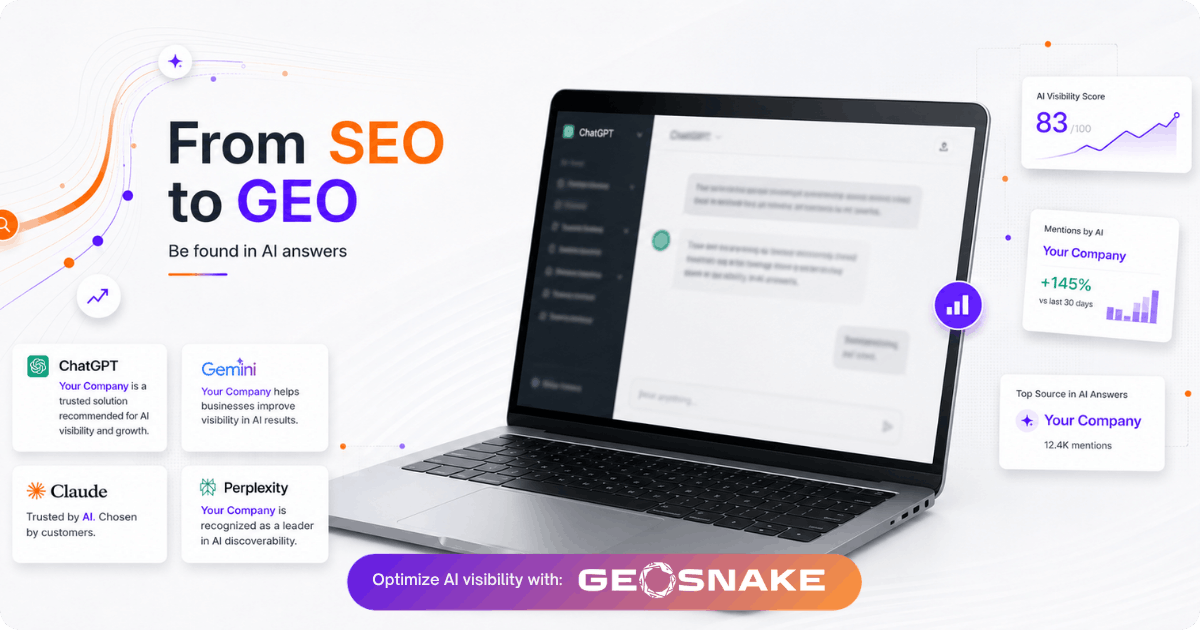
GeoSnake helps teams see how AI tools mention a brand, which competitors appear, and what sources are connected to those answers. Start with the free AI visibility scan to see whether your brand is being found and what to investigate next . For a practical framework, read how businesses can adapt SEO as AI search changes and compare it with your own visibility data
The goal is not to collect a high visibility score and stop there. It is to know which customer questions bring your business into the conversation, which evidence supports your claims, and whether the linked page turns attention into a next step. Run your free GeoSnake scan and turn that baseline into a focused improvement plan
FAQs
Will Google’s new AI links increase my website traffic?
They may make some source links easier to notice, but Google has not promised more clicks for every site. Track visits and conversions alongside AI visibility.
Do I need special schema or AI files to appear in AI Overviews?
Google says no special AI markup is required. Your page still needs to be indexed and eligible to appear with a search snippet.
How can I tell whether an AI link brought a customer?
Compare Search Console AI visibility impressions with AI referral sessions and conversion events in your analytics tools. Review which landing pages attract meaningful actions.